<?xml version="1.0" encoding="utf-8"?><feed xmlns="http://www.w3.org/2005/Atom" ><generator uri="https://jekyllrb.com/" version="3.10.0">Jekyll</generator><link href="https://amiga.vision/feed.xml" rel="self" type="application/atom+xml" /><link href="https://amiga.vision/" rel="alternate" type="text/html" /><updated>2026-03-10T16:14:20+00:00</updated><id>https://amiga.vision/feed.xml</id><title type="html">AmigaVision</title><subtitle>An easy-to-use Amiga games launcher and curated demo scene setup for MiSTer FPGA, Pocket FPGA, Raspberry Pi, emulators, and real Amiga hardware.</subtitle><author><name>AmigaVision</name></author><entry><title type="html">AmigaVision Now the Best Amiga Gaming Experience on Raspberry Pi</title><link href="https://amiga.vision/raspberry-pi-2025.12.29" rel="alternate" type="text/html" title="AmigaVision Now the Best Amiga Gaming Experience on Raspberry Pi" /><published>2025-12-29T00:00:00+00:00</published><updated>2025-12-29T00:00:00+00:00</updated><id>https://amiga.vision/raspberry-pi-2025.12.29</id><content type="html" xml:base="https://amiga.vision/raspberry-pi-2025.12.29"><![CDATA[<p>We are happy to announce that the latest version of <a href="https://amiga.vision">AmigaVision</a> now has a supported and dedicated setup for the <a href="https://www.raspberrypi.com">Raspberry Pi</a>!</p>

<p>AmigaVision is the ultimate Amiga games <em>&amp;</em> demo scene setup for MiSTer <em>&amp;</em> Pocket FPGAs, Raspberry Pi + emulators — and Amiga 1200, 4000 <em>&amp;</em> CD32.</p>

<p>To find out more about it, visit the <a href="https://amiga.vision">AmigaVision</a> site.</p>

<h2 id="-raspberry-pi-support">🥧 Raspberry Pi Support</h2>

<p>The AmigaVision team always wanted to support <a href="https://www.raspberrypi.com">Raspberry Pi</a>, but we were never happy with the input latency from controllers, audio latency in-game, and output latency via HDMI — and we also wanted easy ways to send the original output to analog CRTs.</p>

<p>Over the past few years, the author of RGB-Pi OS has been working on <a href="https://www.replayos.com">RePlayOS</a>, a custom Linux distribution that builds on libretro cores, but does not use RetroArch. It recently received its first public release, and we have been testing the development builds, with a special focus on Amiga latency and compatibility, and we worked with the author to:</p>

<ul>
  <li><a href="https://github.com/rtomasa/RePlay-issues/issues/56">Get Amiga audio latency down to 20-32ms (1-2 frames)</a>, depending on NTSC/PAL rendering — which is far lower than any other Raspberry Pi Amiga setup available today,</li>
  <li>Fix mouse behavior for <a href="https://github.com/rtomasa/RePlay-issues/issues/71">certain mice that were behaving erratically</a> in Amiga games &amp; Workbench,</li>
  <li><a href="https://github.com/rtomasa/RePlay-issues/issues/52">Introduce exFAT as the default file system</a>, so you can use the full AmigaVision setup instead of a limited one.</li>
</ul>

<p>With <a href="https://www.replayos.com">RePlayOS</a>, AmigaVision on Raspberry Pi comes as close as possible to being as low latency as a MiSTer FPGA — still our benchmark for input/output/audio latency — and also has great options for analog output via the <a href="https://www.mortaca.com">RGB-Pi 2</a> adapter that converts HDMI to SCART RGB without any added latency, similar to MiSTer’s Direct Video mode.</p>

<p>If you want to see more about how RePlayOS works, and some latency testing that proves that it delivers on its claims, check out this great video from Dreamroom64:</p>

<iframe style="aspect-ratio: 16/9; width: 100%;" src="https://www.youtube.com/embed/JzSHtE-deww" title="YouTube Video Player" frameborder="0" allow="accelerometer; autoplay; clipboard-write; encrypted-media; gyroscope; picture-in-picture; web-share" referrerpolicy="strict-origin-when-cross-origin" allowfullscreen=""></iframe>

<p>(Please note that he mentions some potential audio latency in this video using a preview build — we have since <a href="https://github.com/rtomasa/RePlay-issues/issues/56">worked with the author of RePlayOS to address this</a>, and it is no longer an issue.)</p>

<p>RePlayOS is now a fully supported platform for AmigaVision, and if you want the best Amiga gaming experience you can get on a Raspberry Pi, you should absolutely check it out. We have <a href="https://amiga.vision/docs#setup-for-raspberry-pi">documented the RePlayOS setup here</a> — it’s essentially just a few file copies, super easy — and more improvements are coming.</p>

<h2 id="️-stay-updated--help-us-make-amigavision-even-better">🛠️ Stay Updated <em>&amp;</em> Help Us Make AmigaVision Even Better</h2>

<p>If you find any bugs or settings that need improvements, file a ticket on the <a href="https://amiga.vision">AmigaVision</a> web site.</p>

<p>AmigaVision is an open source project, and we welcome contributions from the community.</p>

<p>You can follow us on <a href="https://bsky.app/profile/amiga.vision">Bluesky</a>, <a href="https://mastodon.social/@amiga_vision">Mastodon</a>, <a href="https://youtube.com/@amiga_vision">YouTube</a>, <a href="https://twitch.tv/amiga_vision">Twitch</a> or via <a href="https://amiga.vision/feed.xml">RSS</a>, and updates will be posted when new releases happen.</p>

<p><strong>Enjoy the best of what the Amiga platform has to offer, now fully supported with low latency and easy analog CRT output on Raspberry Pi!</strong></p>]]></content><author><name>AmigaVision</name></author><summary type="html"><![CDATA[We are happy to announce that the latest version of AmigaVision now has a supported and dedicated setup for the Raspberry Pi!]]></summary></entry><entry><title type="html">Amiga Core for Analogue Pocket Updated to Support Latest AmigaVision</title><link href="https://amiga.vision/pocket-2025.11.25" rel="alternate" type="text/html" title="Amiga Core for Analogue Pocket Updated to Support Latest AmigaVision" /><published>2025-11-25T00:00:00+00:00</published><updated>2025-11-25T00:00:00+00:00</updated><id>https://amiga.vision/pocket-2025.11.25</id><content type="html" xml:base="https://amiga.vision/pocket-2025.11.25"><![CDATA[<p>Just a quick note to let you know that the <a href="https://github.com/Mazamars312/Analogue-Amiga">Amiga core for Analogue Pocket</a> has been updated to support the latest version of AmigaVision. No huge changes, but you now no longer have to rename the HDF files to the old file names, it should work out of the box. The <a href="https://amiga.vision/docs#setup-for-pocket">documentation</a> has been updated to reflect this.</p>

<p>Other fixes included in the 0.2.3 release of the Pocket core:</p>

<ul>
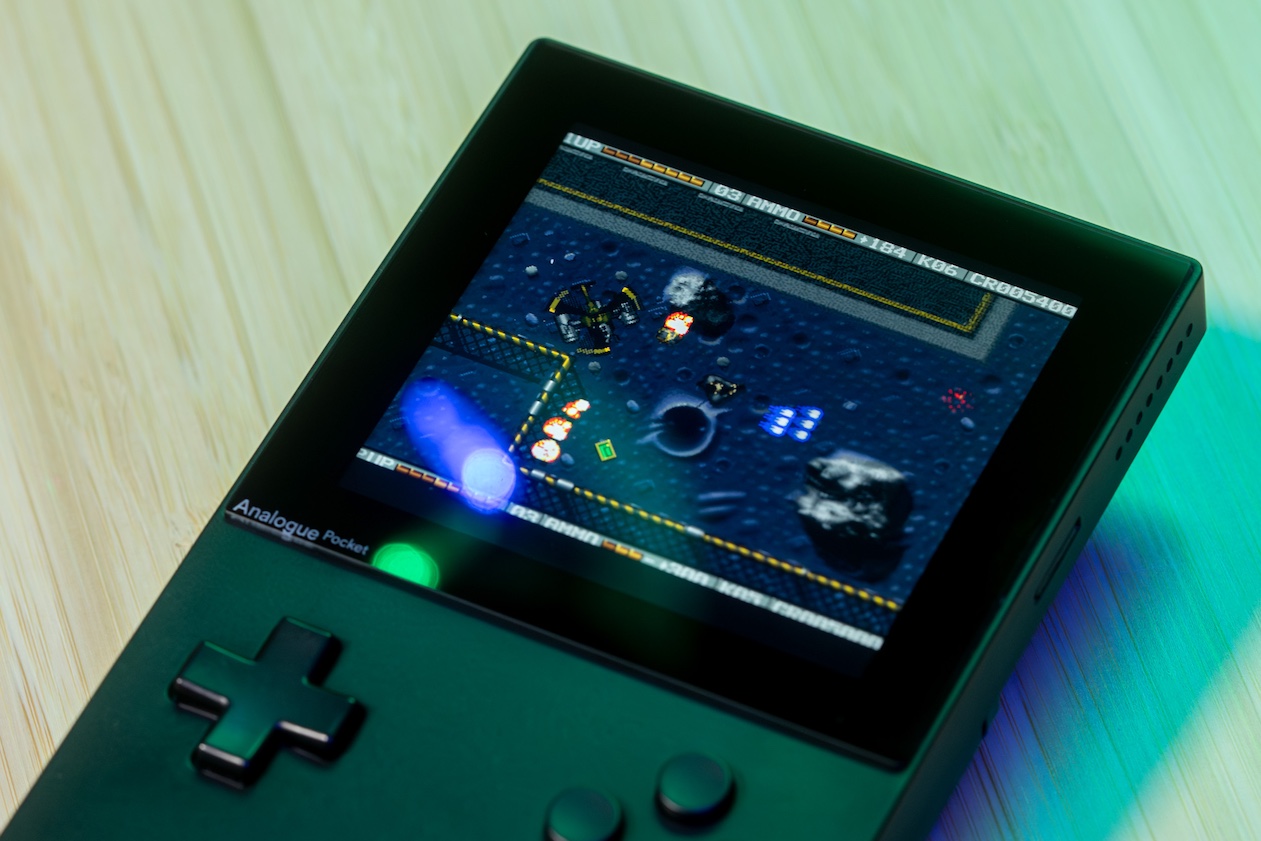
  <li>Hybris scoreboard graphics issue fixed, ported from the MiSTer core by rsn8887.</li>
  <li>Menu label cleanup.</li>
  <li>Recent MiSTer improvements by robinsonb5 ported to the core by rsn8887, thanks! This fixes audio in Pit-Fighter, Torvak the Warrior, Risky Woods. Also fixes issues in Nexus 7, Roots 2.0, and Domination demos.</li>
</ul>

<p>If you have an existing installation of AmigaVision, you need to rename the HDFs and ROM files to AmigaVision instead of MegaAGS, i.e.</p>

<ul>
  <li><code class="language-plaintext highlighter-rouge">MegaAGS.hdf</code> → <code class="language-plaintext highlighter-rouge">AmigaVision.hdf</code></li>
  <li><code class="language-plaintext highlighter-rouge">MegaAGS-Saves.hdf</code> → <code class="language-plaintext highlighter-rouge">AmigaVision-Saves.hdf</code></li>
  <li><code class="language-plaintext highlighter-rouge">MegaAGS.rom</code> → <code class="language-plaintext highlighter-rouge">AmigaVision.rom</code></li>
</ul>

<p>If you are doing a clean install of AmigaVision on the newly updated <a href="https://github.com/Mazamars312/Analogue-Amiga">Amiga core for Analogue Pocket</a>, you don’t have to do anything outside of copying the files, as specified in the <a href="https://amiga.vision/docs#setup-for-pocket">documentation</a>.</p>

<h2 id="️-stay-updated--help-us-make-amigavision-even-better">🛠️ Stay Updated <em>&amp;</em> Help Us Make AmigaVision Even Better</h2>

<p>If you find any bugs or settings that need improvements, file a ticket on the <a href="https://amiga.vision">AmigaVision</a> web site.</p>

<p>AmigaVision is an open source project, and we welcome contributions from the community.</p>

<p>You can follow us on <a href="https://bsky.app/profile/amiga.vision">Bluesky</a>, <a href="https://mastodon.social/@amiga_vision">Mastodon</a>, <a href="https://youtube.com/@amiga_vision">YouTube</a>, <a href="https://twitch.tv/amiga_vision">Twitch</a> or via <a href="https://amiga.vision/feed.xml">RSS</a>, and updates will be posted when new releases happen.</p>

<p><strong>Enjoy the best of what the Amiga platform has to offer!</strong></p>]]></content><author><name>AmigaVision</name></author><summary type="html"><![CDATA[Just a quick note to let you know that the Amiga core for Analogue Pocket has been updated to support the latest version of AmigaVision. No huge changes, but you now no longer have to rename the HDF files to the old file names, it should work out of the box. The documentation has been updated to reflect this.]]></summary></entry><entry><title type="html">AmigaVision CD³² Setup for MiSTer 2025.10.04 Released</title><link href="https://amiga.vision/cd32-2025.10.04" rel="alternate" type="text/html" title="AmigaVision CD³² Setup for MiSTer 2025.10.04 Released" /><published>2025-10-03T00:00:00+00:00</published><updated>2025-10-03T00:00:00+00:00</updated><id>https://amiga.vision/cd32-2025.10.04</id><content type="html" xml:base="https://amiga.vision/cd32-2025.10.04"><![CDATA[<p>We are happy to announce that the latest version of our CD32 Setup for MiSTer is available!</p>

<p>This is a ready-to-go package for playing Amiga CD32 games on MiSTer’s Amiga core.</p>

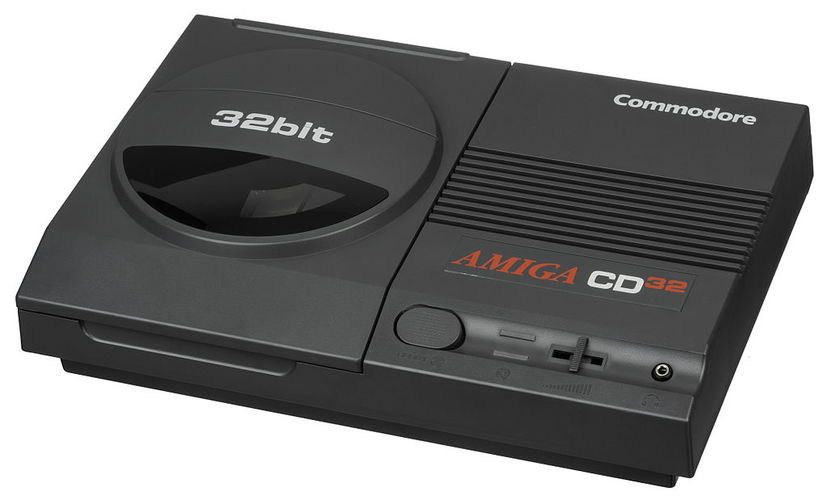
<p>If you are unfamiliar with the Amiga CD³², it was essentially an Amiga 1200 with a 2× speed CD drive, packaged with gamepads and in a console form factor. It was released in September 1993.</p>

<p>To find out more about it, visit the <a href="https://amiga.vision">AmigaVision</a> site.</p>

<h2 id="-features">✅ Features</h2>

<ul>
  <li>Fully stand-alone — no AmigaVision install required. If you only want CD32 games (although you’d be missing out on most of the Amiga classics! 😄), this works by itself.</li>
  <li>Launch CD32 games straight from the MiSTer menu — no keyboard or mouse required, just your controller.</li>
  <li>Forget juggling obscure settings like NoFastMem, Instruction Cache, or that one game needing Volume Control off — we handle all that automatically.</li>
  <li>Uses AmigaVision’s scanline and shadow masks presets.</li>
  <li>Uses AmigaVision’s scaling presets, which are considered the best in the business. 😅</li>
  <li>Games that can make use of AmigaVision’s <a href="https://amiga.vision/overscale">5×PAL Overscale</a> presets — like Chaos Engine CD32 — now use that on a per-game basis when a game can handle it.</li>
</ul>

<h2 id="-installation">📥 Installation</h2>

<p>Simply copy the contents to the root of your MiSTer drive. For platforms that ask, you should of course Merge with the existing files, and overwrite any existing files if asked (e.g. if you already have the main AmigaVision installed, especially the ones that contain a CD32 setup). This will work for SD card and NAS (network drive) setups.</p>

<p>If you are not using an external USB drive to store your game setup, you can delete <code class="language-plaintext highlighter-rouge">USB.7z</code>.</p>

<p>If you <em>are</em> using an external USB drive for storing your game setup, there is an included <code class="language-plaintext highlighter-rouge">USB.7z</code> file included that you should use instead — this unpacks in the same way as the main archive, and you copy these files to your MiSTer USB drive.</p>

<h3 id="misterini-settings">MiSTer.ini settings</h3>

<p>Then, as CD32 is probably the only PAL console you have, add this line to your global <code class="language-plaintext highlighter-rouge">MiSTer.ini</code>:</p>

<div class="language-plaintext highlighter-rouge"><div class="highlight"><pre class="highlight"><code>video_mode_pal=9
</code></pre></div></div>

<p>We need this to ensure that the scaling works properly, and it will run all PAL games (probably only the CD32 unless you use computer cores like the C64) at 1080p at 50hz. Both AmigaVision and this CD32 setup is optimized for 1080p/4K TVs and monitors, and if you are running other resolutions, you are probably used to editing your <code class="language-plaintext highlighter-rouge">INI</code> file anyway.</p>

<p>If you are one of the sickos 😅 that want to run SNES at 50hz PAL in 1200p, there’s an easy solution — do a per-system setting for those systems to override the global default. For the CD32 core to work with the MGL approach without adding 100s of configuration settings to <code class="language-plaintext highlighter-rouge">MiSTer.ini</code>, this is the easiest approach.</p>

<p>In short, add this line to your <code class="language-plaintext highlighter-rouge">INI</code> file, and if you have other systems that you want to run in 50hz at other solutions, add overrides for those. If none of this makes any sense to you, don’t worry — this setting will not mess with the majority of the popular cores on the MiSTer.</p>

<h2 id="️-upgrading">⬆️ Upgrading</h2>

<p>As is the case with the main AmigaVision setup, the same goes for this CD32 setup — always do a clean install and replace all the files with the exception of your <code class="language-plaintext highlighter-rouge">CD32-Saves.hdf</code>. Configuration files may change over time, even if it’s not obvious from the folder listing — always replace them to stay up to date.</p>

<h3 id="previous-cd32-setup">Previous CD32 Setup</h3>

<ul>
  <li>If you already had AmigaVision installed, some files like the <code class="language-plaintext highlighter-rouge">Presets</code>, <code class="language-plaintext highlighter-rouge">Filters</code> and <code class="language-plaintext highlighter-rouge">Shadow_Masks</code> will already exist — you can skip these or overwrite them, it doesn’t matter, they are identical.</li>
  <li>If you had the previous CD32 setup, be sure to overwrite the old <code class="language-plaintext highlighter-rouge">CD32.hdf</code> for this new setup to work.</li>
  <li>If you already had the previous AmigaVision CD32 support, you can delete the <code class="language-plaintext highlighter-rouge">_Consoles/Amiga CD32.mgl</code> file — it is no longer needed, and in fact will not do anything useful if you start it.</li>
</ul>

<p>As usual, when in doubt, overwrite. <strong>Except for your save files.</strong></p>

<h2 id="-adding-games">🎮 Adding Games</h2>

<p>Put your CD32 disc images in the <code class="language-plaintext highlighter-rouge">games/AmigaCD32</code> directory. You have to use the MiSTer CD32 CHD pack, or rename your own CHD images according to the naming scheme for the MGLs to work.</p>

<p>The expected names are listed at the bottom of this file. We do not support <code class="language-plaintext highlighter-rouge">bin/cue</code> or <code class="language-plaintext highlighter-rouge">ISO</code> files. Because why would you want to waste space like that? 😅</p>

<h2 id="-playing-a-game">🛝 Playing a Game</h2>

<ul>
  <li>Navigate to <code class="language-plaintext highlighter-rouge">Console</code> → <code class="language-plaintext highlighter-rouge">Amiga CD32 Games</code></li>
  <li>Select the game you want to play.</li>
  <li>Enjoy your game!</li>
</ul>

<h2 id="️-mapping-controller-inputs">🗺️ Mapping Controller Inputs</h2>

<p>Some Amiga CD32 games are up-to-jump or up-to-accelerate, which is OK if you have a joystick, but might be awkward if you use a gamepad. Consult MiSTer’s documentation to remap buttons for these games.</p>

<h2 id="️-game-recommendations">🕹️ Game Recommendations</h2>

<iframe style="aspect-ratio: 16/9; width: 100%;" src="https://www.youtube.com/embed/T8iMcCmK6MI" title="YouTube video player" frameborder="0" allow="accelerometer; autoplay; clipboard-write; encrypted-media;
        gyroscope; picture-in-picture; web-share" allowfullscreen="">
</iframe>

<p>The CD32 wasn’t exactly a paragon of a console with incredible games, and was cut short by Commodore’s unfortunate bankruptcy before it could really prove itself. However, if you are looking for a starting point, here are some games to check out:</p>

<ul>
  <li><strong>Fightin’ Spirit</strong> — Probably the best Street Fighter 2 clone on the Amiga.</li>
  <li><strong>Chaos Engine</strong> — True Amiga classic, two-player mode is especially fun.</li>
  <li><strong>Beneath a Steel Sky</strong> — Great point &amp; click adventure in the Lucasfilm style with voice acting — does require a mouse, though.</li>
  <li><strong>Super Stardust</strong> — Enter <code class="language-plaintext highlighter-rouge">BZZZZZZZZZB</code> to jump straight to its iconic tunnel sequence.</li>
  <li><strong>Worms</strong> — This legendary game series got its start on the Amiga.</li>
  <li><strong>Pinball Fantasies</strong> — Move over, every 16-bit pinball game created! This is the one that set the standard.</li>
  <li><strong>Fury of the Furries</strong> — Great platform game. This game is up-to-jump, which works great with joysticks, but remap in MiSTer if you have a gamepad.</li>
  <li><strong>Banshee</strong> — Fun shoot’em-up, and the pixel art is next-level.</li>
  <li><strong>Flink</strong> — Did someone say pixel art? Gorgeous platformer.</li>
  <li><strong>Bubba ‘N’ Stix</strong> — Unique platformer with a cartoon intro and great CD soundtrack.</li>
  <li><strong>Disposable Hero</strong> — Surprisingly good shoot’em-up.</li>
  <li><strong>Naughty Ones</strong> — Late-stage platformer made by one of the most influential Amiga demo groups.</li>
  <li><strong>Speedball 2</strong> — Does not have the iconic music of the original Amiga version, but new voice-over and great ambient soundscapes makes this a great 2-player experience.</li>
  <li><strong>Super Skidmarks</strong> — Great overhead racer. If you loved RC Pro-AM on Nintendo, you will love this. Supports 4 players at once, because you can easily get 3 of your closest friends together for a retro game night, right? Right?</li>
  <li><strong>Superfrog</strong> — Every system needs a mascot platformer, obviously. This game is arguably the one for Amiga. Ignore Zool, play this instead.</li>
</ul>

<h2 id="-fun-facts">🤩 Fun Facts</h2>

<ul>
  <li>We generate 1280 config files to ensure these CD32 games work on MiSTer.</li>
  <li>We generate 10 different hard disk images to power these.</li>
</ul>

<h2 id="-games-that-still-require-a-mouse">🐭 Games That Still Require a Mouse</h2>

<p>There are a few games that still require mouse because the game demands it. These are:</p>

<ul>
  <li>Beneath a Steel Sky</li>
  <li>Magic Island</li>
  <li>Theme Park</li>
</ul>

<h2 id="️-68-games-will-use-5pal-overscale">↕️ 68 Games Will Use 5×PAL Overscale</h2>

<p><img src="/images/gods5x.gif" alt="5x scaling" /></p>

<p>As you may know, AmigaVision has per-game <a href="https://amiga.vision/overscale">5×PAL Overscale presets</a> for games that support it, which optimizes scaling for 1080p/4K. With this setup, we are bringing that same support to CD32!</p>

<p>The following 68 games will use hand-tuned 5×PAL Overscale presets:</p>

<ul>
  <li>Arabian Nights</li>
  <li>Beavers</li>
  <li>Beneath a Steel Sky</li>
  <li>Black Viper</li>
  <li>Brian the Lion</li>
  <li>Brutal Paws of Fury</li>
  <li>Brutal Football</li>
  <li>Bubba N Stix</li>
  <li>Castles II - Siege &amp; Conquest</li>
  <li>Chambers of Shaolin</li>
  <li>Chaos Engine</li>
  <li>D/Generation</li>
  <li>Darkseed</li>
  <li>Death Mask</li>
  <li>Dennis</li>
  <li>Diggers</li>
  <li>Disposable Hero</li>
  <li>Emerald Mines</li>
  <li>Exile</li>
  <li>Fields of Glory</li>
  <li>Fire Force</li>
  <li>Flink</li>
  <li>Fly Harder</li>
  <li>Frontier - Elite II</li>
  <li>Fury of the Furries</li>
  <li>Global Effect</li>
  <li>Guardian</li>
  <li>Gulp</li>
  <li>Gunship 2000</li>
  <li>Heimdall 2</li>
  <li>Humans</li>
  <li>Impossible Mission 2025</li>
  <li>International Karate</li>
  <li>James Pond 2 - Robocod</li>
  <li>John Barnes European Football</li>
  <li>Jungle Strike</li>
  <li>Kid Chaos</li>
  <li>Labyrinth of Time</li>
  <li>Lamborghini American Challenge</li>
  <li>Legends</li>
  <li>Lotus Trilogy</li>
  <li>Marvin’s Marvellous Adventure</li>
  <li>Nigel Mansell’s World Championship</li>
  <li>PGA European Tour</li>
  <li>Pirates Gold</li>
  <li>Projekt Lila</li>
  <li>Rise of the Robots</li>
  <li>Road Avenger</li>
  <li>Roadkill</li>
  <li>Ryder Cup by Johnnie Walker</li>
  <li>Seven Gates of Jambala</li>
  <li>Soccer Kid</li>
  <li>Speedball 2</li>
  <li>Strip Pot</li>
  <li>Subwar 2050</li>
  <li>Summer Olympix</li>
  <li>Super Street Fighter II Turbo</li>
  <li>Surf Ninjas</li>
  <li>Syndicate</li>
  <li>Theme Park</li>
  <li>Time Gal</li>
  <li>Top Gear 2</li>
  <li>Total Carnage</li>
  <li>Trolls</li>
  <li>UFO - Enemy Unknown</li>
  <li>Vital Light</li>
  <li>Whale’s Voyage</li>
  <li>Wild Cup Soccer</li>
  <li>Wing Commander</li>
</ul>

<h2 id="-compatibility">🤝 Compatibility</h2>

<p>This is not a <em>real</em> CD32 core for the MiSTer. It uses the CD Audio support that was added to the Amiga (Minimig) core, and uses a program called CD32-Emulator to run CD32 games.</p>

<p>Compatibility isn’t perfect — some games may not work or may lack their CD audio tracks. An updated compatibility list with any special settings required can be found at:</p>

<p><a href="https://amiga.vision/cd32">https://amiga.vision/cd32</a></p>

<h2 id="️-stay-updated--help-us-make-amigavision-even-better">🛠️ Stay Updated <em>&amp;</em> Help Us Make AmigaVision Even Better</h2>

<p>If you find any bugs or settings that need improvements, file a ticket on the <a href="https://amiga.vision">AmigaVision</a> web site.</p>

<p>AmigaVision is an open source project, and we welcome contributions from the community.</p>

<p>You can follow us on <a href="https://bsky.app/profile/amiga.vision">Bluesky</a>, <a href="https://mastodon.social/@amiga_vision">Mastodon</a>, <a href="https://youtube.com/@amiga_vision">YouTube</a>, <a href="https://twitch.tv/amiga_vision">Twitch</a> or via <a href="https://amiga.vision/feed.xml">RSS</a>, and updates will be posted when new releases happen.</p>

<p><strong>Enjoy the best of what the Amiga platform has to offer!</strong></p>

<h2 id="-addendum-file-naming-convention">📝 Addendum: File Naming Convention</h2>

<p>Here are the file names that the setup expects for it to work properly — without these filenames, the game will not launch:</p>

<details>
<summary><b>Expand for Full List of Games</b></summary>
<p></p>
<pre>
Alfred Chicken (1993).chd
Alien Breed - Tower Assault (1994).chd
Alien Breed 3D (1995).chd
Alien Breed Special Edition (1994).chd
All Terrain Racing (1995).chd
Arabian Nights (1993).chd
Arcade Pool (1994).chd
Banshee (1994).chd
Base Jumpers (1995).chd
Beavers (1994).chd
Beneath a Steel Sky (1994).chd
Benefactor (1994).chd
Black Viper (1996).chd
Brian the Lion (1994).chd
Brutal - Paws of Fury (1995).chd
Brutal Football (1994).chd
Bubba 'N' Stix (1994).chd
Bubble and Squeak (1994).chd
Bump 'N' Burn (1994).chd
Castles II - Siege &amp; Conquest (1993).chd
Chambers of Shaolin (1993).chd
Chaos Engine (1994).chd
Clockwiser (1994).chd
Clou! (German) (1994).chd
Clue! (1994).chd
D-Generation (1993).chd
Dangerous Streets (1993).chd
Darkseed (1994).chd
Death Mask (1994).chd
Deep Core (1993).chd
Dennis (1993).chd
Diggers (1993).chd
Disposable Hero (1994).chd
Dizzy Collection (1994).chd
Donk! The Samurai Duck! (1993).chd
Emerald Mines (1994).chd
Exile (1995).chd
F17 Challenge (1993).chd
Fears (1995).chd
Fields of Glory (1994).chd
Fightin' Spirit (1996).chd
Final Gate (1997).chd
Fire Force (1993).chd
Flink (1994).chd
Fly Harder (1993).chd
Frontier - Elite II (1994).chd
Fury of the Furries (1994).chd
Global Effect (1994).chd
Gloom (1995).chd
Grandslam Gamer Gold Collection (1995).chd
Guardian (1995).chd
Gulp! (1994).chd
Gunship 2000 (1994).chd
Heimdall 2 (1994).chd
Humans (1994).chd
Humans 3 (1997).chd
Impossible Mission 2025 (1994).chd
International Karate + (1994).chd
James Pond 2 - Robocod (1993).chd
Jetstrike (1995).chd
John Barnes European Football (1993).chd
Jungle Strike (1994).chd
Kang Fu (1996).chd
Kid Chaos (1994).chd
Kingpin - Arcade Sports Bowling (1995).chd
Labyrinth of Time (1994).chd
Lamborghini - American Challenge (1994).chd
Legends (1996).chd
Liberation - Captive II (1994).chd
Litil Divil (1994).chd
Lunar-C (1993).chd
Magic Island (Czech) (1995).chd
Manchester United - Premier League Champions (1994).chd
Marvin's Marvellous Adventure (1995).chd
Mean Arenas (1993).chd
Microcosm (1994).chd
Morph (1993).chd
Naughty Ones (1994).chd
Nick Faldos Championship Golf (1994).chd
Nigel Mansell's World Championship (1993).chd
Oscar (1993).chd
Overkill (1993).chd
PGA European Tour (1994).chd
Pinball Fantasies (1993).chd
Pinball Illusions (1995).chd
Pinball Prelude (1996).chd
Pirates! Gold (1993).chd
Prey - An Alien Encounter (1993).chd
Project-X (1993).chd
Projekt Lila (German) (2016).chd
Quik the Thunder Rabbit (1994).chd
Rise of the Robots (1994).chd
Road Avenger (AGA) (2018).chd
Roadkill (1995).chd
Ryder Cup by Johnnie Walker (1993).chd
Sabre Team (1994).chd
Seek &amp; Destroy (1993).chd
Seven Gates of Jambala (1993).chd
Shadow Fighter (1995).chd
Simon the Sorcerer (1994).chd
Soccer Kid (1994).chd
Soccer Superstars (1995).chd
Speedball 2 (1995).chd
Speris Legacy (1995).chd
Striker (1994).chd
Strip Pot (1994).chd
Subwar 2050 (1994).chd
Summer Olympix (1994).chd
Super Methane Bros (1994).chd
Super Skidmarks (1995).chd
Super Stardust (1994).chd
Super Street Fighter II Turbo (1995).chd
Superfrog (1994).chd
Surf Ninjas (1993).chd
Syndicate (1995).chd
Theme Park (1995).chd
TimeGal (AGA) (2017).chd
Top Gear 2 (1994).chd
Total Carnage (1994).chd
Trivial Pursuit (1994).chd
Trolls (1993).chd
UFO - Enemy Unknown (1994).chd
Ultimate Body Blows (1994).chd
Vital Light (1994).chd
Whale's Voyage (1994).chd
Wild Cup Soccer (1994).chd
Wing Commander (CD32 Enhanced) (1993).chd
Worms (1995).chd
Zool (1993).chd
Zool 2 (1994).chd
</pre>

</details>]]></content><author><name>AmigaVision</name></author><summary type="html"><![CDATA[We are happy to announce that the latest version of our CD32 Setup for MiSTer is available!]]></summary></entry><entry><title type="html">AmigaVision 2025.05.05 Released with RetroTink 4K scaler support + 86 Game Updates</title><link href="https://amiga.vision/2025.05.05" rel="alternate" type="text/html" title="AmigaVision 2025.05.05 Released with RetroTink 4K scaler support + 86 Game Updates" /><published>2025-05-05T00:00:00+00:00</published><updated>2025-05-05T00:00:00+00:00</updated><id>https://amiga.vision/2025.05.05</id><content type="html" xml:base="https://amiga.vision/2025.05.05"><![CDATA[<p>We are happy to announce that the latest version of <a href="https://amiga.vision">AmigaVision</a> is available!</p>

<p>AmigaVision is the ultimate Amiga games <em>&amp;</em> demo scene setup for MiSTer <em>&amp;</em> Pocket FPGAs, Raspberry Pi + emulators — and Amiga 1200, 4000 <em>&amp;</em> CD32.</p>

<p>To find out more about it, visit the <a href="https://amiga.vision">AmigaVision</a> site.</p>

<h2 id="-general-improvements">✅ General Improvements</h2>

<ul>
  <li><strong>Default chip setup now starts in PAL on MiSTer</strong> — we did not sufficiently test the NTSC change to AmigaVision 2024.10.10, which should (on paper) work, but in reality does not, since there are a lot of games and demos that bypass the software settings. So we reverted the change, sorry about that! We tested it before release, but unfortunately didn’t hit any of the edge cases at the time.</li>
  <li><strong>Workbench is now 216 pixels (NTSC) or 270 pixels (PAL) tall</strong> — this ensures there are no black top/bottom borders in 1080p/4K, since those sizes integer scale cleanly into those resolutions.</li>
  <li><strong>WHDLoad</strong> has been updated to version 19.1.</li>
  <li><strong>Amiga 600HD setup</strong> now has access to <code class="language-plaintext highlighter-rouge">AmigaVision-Saves.hdf</code> in addition to the shared MiSTer drive.</li>
  <li><strong>Back navigation</strong> in the launcher re-enabled.</li>
</ul>

<h2 id="-retrotink-4k-scaler-profiles-for-mister">📺 RetroTink 4K Scaler Profiles for MiSTer</h2>

<p>The <a href="https://www.retrotink.com/shop/retrotink-4k">RetroTink 4K</a> is a 4K scaler that will take the native signal coming out of your console, computer or MiSTer, and scale it to 4K, with the ability to add processing to let it look like a CRT, and edge-to-edge rendering.</p>

<p>We have made a set of dedicated, preconfigured RetroTink 4K auto-configuring DV1 profiles for MiSTer — both for the Amiga, and for the majority of console and computer cores.</p>

<p>We couldn’t find a simple, good starting point for MiSTer setups or other setups that don’t use analog inputs, so we made some. Everyone’s preferences are of course different when it comes to scanlines and shadow masks and cropping, but at least this is a great starting point that you can modify to your personal taste.</p>

<p>If you have a RetroTink 4K, you can <a href="https://github.com/amigavision/RT4K">download the auto-configuring DV1 profiles</a> from the Releases section, instructions on how to install are included.</p>

<h2 id="-note-on-upgrading">📝 Note on Upgrading</h2>

<p>As always, <strong>do a complete clean install when upgrading</strong>, including adding the <strong>new</strong> <code class="language-plaintext highlighter-rouge">MiSTer.ini</code> settings if you are using that platform, as well as copying the config files.</p>

<p>This is <strong>EXTREMELY</strong> important in this release since a lot of file names and configurations have changed!</p>

<p>While this is a relatively straightforward update, we chose to make 2025 the cut-off point where the old “MegaAGS” naming scheme no longer exists on the file system (we are still waiting for the new artwork for the launcher, though 😅). Hence, it’s important to do a clean install of absolutely everything, including CD32, Amiga 500, and also the “Extras” setups (Amiga 500HD/600HD) if you use those.</p>

<p>Additionally,</p>

<ul>
  <li>If you have an existing saves hard drive you want to keep, you need to rename it from <code class="language-plaintext highlighter-rouge">MegaAGS-Saves.hdf</code> to <code class="language-plaintext highlighter-rouge">AmigaVision-Saves.hdf</code></li>
  <li>If you use an Analogue Pocket, pay special attention to the renaming steps you have to do to the two HDF files.</li>
</ul>

<p>There is a dedicated section in the <a href="https://amiga.vision/docs#upgrading">documentation on upgrading</a>.</p>

<h2 id="️-78-game-additions--updates">🕹️ 78 Game Additions <em>&amp;</em> Updates</h2>

<p>AmigaVision now contains <strong>4419 hand-tuned game and demo configurations</strong>.</p>

<p>Configurations are current with WHDLoad as of 2025.05.05, <strong>78 games</strong> have been added or fixed:</p>

<details>
<summary><b>Expand for Full List of Games</b></summary>

<ul>
<li>Advanced Fruit Machine Simulator</li>
<li>All Terrain Racing</li>
<li>Apidya</li>
<li>BAT2 (Spanish)</li>
<li>Beneath a Steel Sky — now uses the CD32 edition with voices!</li>
<li>Black Dawn 2</li>
<li>Buck Rogers (German)</li>
<li>Burger Time</li>
<li>Cadaver &amp; The Payoff</li>
<li>Castlevania AGA</li>
<li>Cedric</li>
<li>Charly</li>
<li>Chuck Yeagers Advanced Flight Trainer 2</li>
<li>Commando</li>
<li>CyberEmpires</li>
<li>Cybernoid (Old Tile Set)</li>
<li>Cybersphere</li>
<li>Cybersphere Plus</li>
<li>DesertStrike</li>
<li>¿Donde Esta Carmen Sandiego Buscala Por Todo El Mundo?</li>
<li>Dungeonette (Demo)</li>
<li>Earl Weaver Baseball</li>
<li>Elevator Action</li>
<li>Elf (Ocean)</li>
<li>Elvira</li>
<li>Elvira (German with spelling fixes)</li>
<li>Elvira (French)</li>
<li>Elysium</li>
<li>Enchanted Land</li>
<li>Exodus 3010</li>
<li>Exodus 3010 (German)</li>
<li>Future Sport</li>
<li>Ghost Battle</li>
<li>Grimblood</li>
<li>Head Over Heels</li>
<li>High Steel</li>
<li>Humans 3</li>
<li>Immortal</li>
<li>Jim Power</li>
<li>Kings Bounty (Faster Version)</li>
<li>La Poursuite De Carmen Sandiego Dans Le Monde</li>
<li>Lethal Weapon</li>
<li>Liquid Kids</li>
<li>Mega Typhoon</li>
<li>Millennium 2.2</li>
<li>Millennium 2.2 (German)</li>
<li>Neuromancer</li>
<li>Nicky 2</li>
<li>North And South</li>
<li>Oscar</li>
<li>Pac Mania</li>
<li>Paradroid 90</li>
<li>Pooyan</li>
<li>PopUp</li>
<li>Powermonger</li>
<li>Predator 2</li>
<li>Quadralien</li>
<li>Quicksilva</li>
<li>Revenge of Defender</li>
<li>RoboCop</li>
<li>RoboCop 2</li>
<li>Ruff N Tumble</li>
<li>Sensible World of Soccer 24/25</li>
<li>Shadow of the Beast</li>
<li>Smarty &amp; the Nasty Gluttons</li>
<li>Summer Challenge</li>
<li>Superfrog</li>
<li>Think Twice</li>
<li>Transarctica (Spanish)</li>
<li>Transputor</li>
<li>Trolls</li>
<li>Turrican 2</li>
<li>Uridium 2</li>
<li>Wiz N Liz</li>
<li>Wizmo</li>
<li>Wonder Dog</li>
<li>Xenomorph</li>
<li>Zyconix</li>
</ul>
</details>

<p>For a detailed summary of what’s been fixed in a given game, check the <a href="https://www.whdload.de/news.html">WHDLoad site</a>.</p>

<h2 id="-2-games-updated-to-run-in-correct-ntsc-56-pixel-aspect-ratio">📺 2 Games Updated to Run in Correct NTSC 5:6 Pixel Aspect Ratio</h2>

<p>The AmigaVision project <a href="https://amiga.vision/ntsc">cares obsessively</a> about making sure NTSC <em>&amp;</em> PAL scaling and pixel aspect ratios are correct! We have identified a few more games that should be rendered with the NTSC 5:6 Pixel Aspect Ratio:</p>

<ul>
  <li>Wings of Death — The music here was running way too slow, and it’s also an Atari ST port (but still a great game! 😅), so the PAR should be 5:6. Order has been restored to the universe.</li>
  <li>Ultima VI — US game, was running in PAL for some reason. No more! The other Ultima games were already correctly configured.</li>
</ul>

<h2 id="-6-games-updated-to-run-in-correct-pal-format">📺 6 Games Updated to Run in Correct PAL Format</h2>

<p>Additionally, there were some games that were erroneously configured to run in NTSC, this has been fixed. The following games now run in PAL, and have hand-tuned 5×PAL Overscale settings:</p>

<ul>
  <li>3001 O’Connor’s Fight</li>
  <li>5th Gear</li>
  <li>Ikari Warriors</li>
  <li>Slayer</li>
  <li>Victory Road: The Pathway To Fear</li>
  <li>Zynaps</li>
</ul>

<h2 id="-demo-scene-productions">🔥 Demo Scene Productions</h2>

<p>We have a lot of love for the — still active! — Amiga demo scene! We arranged a few demo parties ourselves back in the 90s, and are always looking for exciting demos we can add to AmigaVision.</p>

<p><strong>This release adds the following demos <em>&amp;</em> disk magazines to the AmigaVision launcher:</strong></p>

<ul>
  <li>Desire — Inside the Machine</li>
  <li>The Electronic Knights — Transhuman</li>
</ul>

<p>“Inside the Machine” is especially recommended, with some excellent demo scene hardware trickery going on, along with a banging soundtrack!</p>

<p>Additionally, the Revision 2025 demo party recently concluded, and we have added the following trackloader demo to the Amiga 500 core:</p>

<ul>
  <li>Lemon — 3D Demo 3 — The Last Drop</li>
</ul>

<p>Worth your time! Great soundtrack from Virgill and also with a conversion of a later Jesper Kyd soundtrack.</p>

<h2 id="-greetings">🤝 Greetings</h2>

<p>In traditional Amiga demo scene parlance, “greetings” are a way to express gratitude and admiration for other demo groups or for help they have contributed — this release has been helped very much by our testers and contributors:</p>

<ul>
  <li><strong>hitm4n</strong> — for continuing to contribute high resolution screenshots for the upcoming new launcher.</li>
  <li><strong>rsn8887, bfbiii, rhester72</strong> — for always ensuring that PAL and NTSC titles run with the correct settings.</li>
  <li><strong>Iain McNulty</strong> — for database update nerdery.</li>
  <li><strong>Sorgelig</strong> — for continuing to update the Amiga core.</li>
  <li><strong>robinsonb5</strong> — for chipping away at any core bugs and incompatibilities.</li>
</ul>

<h2 id="️-stay-updated--help-us-make-amigavision-even-better">🛠️ Stay Updated <em>&amp;</em> Help Us Make AmigaVision Even Better</h2>

<p>If you find any bugs or settings that need improvements, file a ticket on the <a href="https://amiga.vision">AmigaVision</a> web site.</p>

<p>AmigaVision is an open source project, and we welcome contributions from the community.</p>

<p>You can follow us on <a href="https://bsky.app/profile/amiga.vision">Bluesky</a>, <a href="https://mastodon.social/@amiga_vision">Mastodon</a>, <a href="https://youtube.com/@amiga_vision">YouTube</a>, <a href="https://twitch.tv/amiga_vision">Twitch</a> or via <a href="https://amiga.vision/feed.xml">RSS</a>, and updates will be posted when new releases happen.</p>

<p><strong>Enjoy the best of what the Amiga platform has to offer!</strong></p>]]></content><author><name>AmigaVision</name></author><summary type="html"><![CDATA[We are happy to announce that the latest version of AmigaVision is available!]]></summary></entry><entry><title type="html">AmigaVision 2024.10.10 Errata — Error in MiSTer Configuration</title><link href="https://amiga.vision/mister-errata" rel="alternate" type="text/html" title="AmigaVision 2024.10.10 Errata — Error in MiSTer Configuration" /><published>2025-03-10T00:00:00+00:00</published><updated>2025-03-10T00:00:00+00:00</updated><id>https://amiga.vision/mister-errata</id><content type="html" xml:base="https://amiga.vision/mister-errata"><![CDATA[<p>One of the things changed in the 2024.10.10 version of AmigaVision was setting the default configuration for MiSTer to NTSC to avoid delays in HDMI switching. We tested this new configuration to ensure that PAL games ran correctly too, but we have since found many games and demos where this is not the case.</p>

<p>If you are running AmigaVision 2024.10.10 on MiSTer, the simple fix is to start AmigaVision, bring up the MiSTer menu by pressing <code class="language-plaintext highlighter-rouge">F12</code>, then select <code class="language-plaintext highlighter-rouge">Audio &amp; Video</code> → <code class="language-plaintext highlighter-rouge">TV Standard</code> and switch that to <code class="language-plaintext highlighter-rouge">PAL</code>.</p>

<p>Go back one level, and remember to select <code class="language-plaintext highlighter-rouge">Save Configuration</code> and select the startup configuration to make the change permanent.</p>

<p>This will be fixed in upcoming versions, and also does not affect earlier versions — only 2024.10.10. It also does not affect Analogue Pocket FPGA, emulation or real Amiga hardware — only the MiSTer configuration.</p>

<p>We apologize for not catching the problem in time — we were “lucky” and every game we tested seemed to work, but with 3000+ configurations, we didn’t catch the problematic ones in time. We will expand our testing for future releases.</p>]]></content><author><name>AmigaVision</name></author><summary type="html"><![CDATA[One of the things changed in the 2024.10.10 version of AmigaVision was setting the default configuration for MiSTer to NTSC to avoid delays in HDMI switching. We tested this new configuration to ensure that PAL games ran correctly too, but we have since found many games and demos where this is not the case.]]></summary></entry><entry><title type="html">AmigaVision 2024.10.10 Released with Internet Support + MiSTer CD³² Launcher, 182 Game Updates</title><link href="https://amiga.vision/2024.10.10" rel="alternate" type="text/html" title="AmigaVision 2024.10.10 Released with Internet Support + MiSTer CD³² Launcher, 182 Game Updates" /><published>2024-10-10T00:00:00+00:00</published><updated>2024-10-10T00:00:00+00:00</updated><id>https://amiga.vision/2024.10.10</id><content type="html" xml:base="https://amiga.vision/2024.10.10"><![CDATA[<p>We are happy to announce that the latest version of <a href="https://amiga.vision">AmigaVision</a> is available!</p>

<p>AmigaVision is the ultimate Amiga games <em>&amp;</em> demo scene setup for MiSTer <em>&amp;</em> Pocket FPGAs, Raspberry Pi + emulators — and Amiga 1200, 4000 <em>&amp;</em> CD32.</p>

<p>To find out more about it, visit the <a href="https://amiga.vision">AmigaVision</a> site.</p>

<h2 id="-internet-support">🌍 Internet Support</h2>

<p><strong>You can now connect to the Internet from your Amiga, via Wi-Fi or wired connection!</strong></p>

<p>This has been tested and works out of the box on MiSTer — if you are running an emulator or original hardware, the Miami TCP/IP program might need some different settings to work on your setup. Consult the documentation for your Amiga network card or your emulator.</p>

<p>To go online, exit to Workbench, and select <code class="language-plaintext highlighter-rouge">Apps</code> → <code class="language-plaintext highlighter-rouge">Network</code> → <code class="language-plaintext highlighter-rouge">Go Online</code> from the menu.</p>

<p>We have kept the setup as minimal as possible, <em>without</em> installing MUI, web browsers or any of that other craziness — the goal is to give you a working baseline internet connection, so <em>you</em> can decide what you want to install on top of it.</p>

<p>We have included two useful tools in that regard:</p>

<ul>
  <li><strong>amiget</strong> — Command line utility that connects to <a href="https://aminet.net">Aminet</a>, the primary source for free Amiga software. Try <code class="language-plaintext highlighter-rouge">amiget -s topaz</code> from the command line (<code class="language-plaintext highlighter-rouge">Shell</code>) for an example search, where you can ask it to download files and navigate the search results. Note that we recommend selecting a higher resolution if you can, since the tool uses quite a bit of window space — try 540p if you are on a modern 16:9 display.</li>
  <li><strong>DCTelnet</strong> — Connect to BBSes from the Amiga like it’s 1992! There are several Amiga and Commodore 64 Bulletin Board Systems that are still active, where you can talk to fellow retro system enthusiasts. A refreshing alternative to social media!</li>
</ul>

<p>Remember that you can install additional apps to your <code class="language-plaintext highlighter-rouge">Saves:</code> drive to make them <a href="https://amiga.vision/docs#custom-scripts">survive future upgrades</a>.</p>

<h2 id="-cd-launcher-for-mister">💿 CD³² Launcher for MiSTer</h2>

<p><img src="https://amiga.vision/images/cd32.png" alt="CD32" /></p>

<ul>
  <li><strong>Separate CD32 launcher was added</strong> to MiSTer’s main core selection menu under <code class="language-plaintext highlighter-rouge">Console</code>, and will allow you to go straight into the CD³² setup. You can put CD³² disc images in <code class="language-plaintext highlighter-rouge">games/AmigaCD32</code>.</li>
  <li><strong>AmigaVision launcher entry is now optional</strong>, you can add it back into the menu in “Options” if you have a MiSTer.</li>
  <li><strong>There is now a dedicated section</strong> on <a href="https://amiga.vision/docs#cd-games-support">setting up and launching CD32 games</a> in the documentation.</li>
</ul>

<p>We maintain a <a href="https://amiga.vision/cd32">CD32 on MiSTer compatibility spreadsheet</a> that also contains any special settings needed for a given game, if any. The majority of the CD³² games work — at time of this release, <strong>134 out of 161 games</strong> are playable.</p>

<h2 id="-general-improvements">✅ General Improvements</h2>

<ul>
  <li><strong>Default setup now starts in NTSC</strong> instead of the resulting PAL → NTSC → PAL switching that was the case in the past, to cut down on any delays when booting the setup. All games will of course run in their correct PAL or NTSC resolutions (depending on origin of the game developer) as before, this is just to avoid the 1-2 second sync wait that is common on TVs and monitors every time a new resolution is applied. As has always been the case, we default the launcher to NTSC for maximum compatibility with e.g. US consumer CRT TVs, since these often can’t handle PAL.</li>
  <li><strong>Old-school LCD monitors that run in a 1280×1024</strong> (5:4) resolution are pretty common, so we added a preset for this resolution to the Screen Mode menu in Workbench.</li>
</ul>

<h2 id="-note-on-upgrading">📝 Note on Upgrading</h2>

<p>As always, <strong>do a complete clean install when upgrading</strong>, including adding the <strong>new</strong> <code class="language-plaintext highlighter-rouge">MiSTer.ini</code> settings if you are using that platform, as well as copying the config files.</p>

<p>This is especially important in this release to support both CD32 launcher presets, as well as PPP support for Internet.</p>

<p>There is a dedicated section in the <a href="https://amiga.vision/docs#upgrading">documentation on upgrading</a>.</p>

<h2 id="-100-games-updated-to-run-in-correct-ntsc-56-pixel-aspect-ratio">📺 100 Games Updated to Run in Correct NTSC 5:6 Pixel Aspect Ratio</h2>

<p>The AmigaVision project <a href="https://amiga.vision/ntsc">cares obsessively</a> about making sure NTSC <em>&amp;</em> PAL scaling and pixel aspect ratios are correct! We have identified another 100 games that should be rendered with the NTSC 5:6 Pixel Aspect Ratio — the following <strong>100 games</strong> have been updated with the correct settings:</p>

<details>
<summary><b>Expand for Full List of Games</b></summary>

<ul>

<li> 4x4 Off-Road Racing</li>
<li> ABC Monday Night Football</li>
<li> Adventure Construction Set</li>
<li> After Burner (Sega)</li>
<li> Alien Fires 2199 A.D.</li>
<li> Alien Syndrome</li>
<li> Amiga Karate</li>
<li> Archon: The Light and the Dark</li>
<li> Archon II: Adept</li>
<li> Arcticfox</li>
<li> Arkanoid</li>
<li> The Bard's Tale: Tales of the Unknown</li>
<li> Battleship</li>
<li> BattleTech: The Crescent Hawk's Inception</li>
<li> Bill &amp; Ted's Excellent Adventure</li>
<li> Blue Angels: Formation Flight Simulation</li>
<li> Breach</li>
<li> Bubble Bobble</li>
<li> Buck Rogers XXVc: Countdown to Doomsday</li>
<li> Castle of Dr. Brain</li>
<li> Castle of Dr. Brain (MT-32)</li>
<li> Centurion: Defender of Rome</li>
<li> The Chessmaster 2100</li>
<li> Cosmic Relief: Prof. Renegade to the Rescue</li>
<li> Das Boot</li>
<li> DeathBringer (Spotlight)</li>
<li> Deja Vu: A Nightmare Comes True!!</li>
<li> Downhill Challenge</li>
<li> Dragon Lord</li>
<li> Dragon's Lair &amp; Escape From Singe's Castle</li>
<li> DragonStrike</li>
<li> Dr. Doom's Revenge!</li>
<li> EbonStar</li>
<li> F-19 Stealth Fighter</li>
<li> Falcon</li>
<li> Fighter Duel Pro</li>
<li> Fighting Soccer</li>
<li> Final Assault</li>
<li> Four Crystals of Trazere</li>
<li> Four Crystals of Trazere (Get Legends Save Disk)</li>
<li> Gunship</li>
<li> Hacker</li>
<li> HardBall II</li>
<li> Hare Raising Havoc</li>
<li> Harrier Combat Simulator</li>
<li> Keef the Thief: A Boy and His Lockpick</li>
<li> King's Bounty</li>
<li> Links: The Challenge of Golf</li>
<li> Little Computer People: House-On-A-Disk</li>
<li> Manhunter 2: San Francisco</li>
<li> Mind Walker</li>
<li> Moebius</li>
<li> Monkey Business</li>
<li> MouseQuest</li>
<li> Nuclear War</li>
<li> Ogre</li>
<li> One on One</li>
<li> Out Run</li>
<li> Over the Net</li>
<li> Paladin</li>
<li> Peter Beardsley's International Football</li>
<li> Pioneer Plague</li>
<li> Platoon</li>
<li> Police Quest: In Pursuit of the Death Angel</li>
<li> Police Quest III: The Kindred</li>
<li> Police Quest III: The Kindred (MT-32)</li>
<li> Prince of Persia</li>
<li> Qix: The 'Computer Virus' Game</li>
<li> Rambo III</li>
<li> Red Lightning</li>
<li> Seven Cities of Gold</li>
<li> Shanghai</li>
<li> Silent Service II</li>
<li> Silicon Dreams</li>
<li> SimCity</li>
<li> Skyfox</li>
<li> Spacecutter</li>
<li> Space Harrier</li>
<li> Space Quest: The Sarien Encounter</li>
<li> Space Quest IV: Roger Wilco and the Time Rippers</li>
<li> Space Quest IV: Roger Wilco and the Time Rippers (MT-32)</li>
<li> Spacewrecked: 14 Billion Light Years From Earth</li>
<li> Spirit of Excalibur</li>
<li> Stellar 7</li>
<li> Street Sports Basketball</li>
<li> Sub Battle Simulator</li>
<li> Sword of Aragon</li>
<li> Thunder Blade</li>
<li> Total Eclipse</li>
<li> Treasures of the Savage Frontier</li>
<li> Turbo Sprint</li>
<li> Typhoon Thompson in Search for the Sea Child</li>
<li> Ultima IV: Quest of the Avatar</li>
<li> Universe 3</li>
<li> Vortex</li>
<li> Windwalker</li>
<li> Where in the World Is Carmen Sandiego?</li>
<li> World Games</li>
<li> Zany Golf</li>
<li> Amiga Dealer Demo</li>

</ul>

</details>

<h2 id="-32-games-updated-to-run-in-correct-pal-format">📺 32 Games Updated to Run in Correct PAL Format</h2>

<p>Additionally, there were <strong>32 PAL format games</strong> that were erroneously configured to run in NTSC, this has been fixed. The following games now run in PAL, and have hand-tuned 5×PAL Overscale settings:</p>

<details>
<summary><b>Expand for Full List of Games</b></summary>

<ul>

<li> Aquaventura</li>
<li> Archipelagos</li>
<li> Arena</li>
<li> Armour-geddon</li>
<li> Back to the Future Part 3</li>
<li> Better Dead Than Alien</li>
<li> Bill's Tomato Game</li>
<li> Carthage</li>
<li> Chips Challenge</li>
<li> Cluedo: Master Detective</li>
<li> Cosmo Ranger</li>
<li> Cytron</li>
<li> Damocles</li>
<li> Dark Castle</li>
<li> Dark Side</li>
<li> Elf (Ocean)</li>
<li> Full Metal Planete</li>
<li> Ghostbusters 2</li>
<li> Golden Axe</li>
<li> Hybris</li>
<li> Killing Cloud</li>
<li> Laser Squad</li>
<li> Nightdawn</li>
<li> Plague</li>
<li> Plan 9 From Outer Space</li>
<li> Plutos</li>
<li> Prison</li>
<li> Spaceball </li>
<li> Super Off Road</li>
<li> Super Space Invaders</li>
<li> Theme Park Mystery</li>
<li> Tip-Off</li>

</ul>

</details>

<h2 id="️-50-game-additions--updates">🕹️ 50 Game Additions <em>&amp;</em> Updates</h2>

<p>AmigaVision now contains <strong>4395 hand-tuned game and demo configurations</strong>.</p>

<p>Configurations are current with WHDLoad as of 2024.10.02, <strong>50 games</strong> have been added or fixed:</p>

<details>
<summary><b>Expand for Full List of Games</b></summary>

<ul>

<li> A320 Airbus</li>
<li> A320 Airbus Edition Europa</li>
<li> A320 Airbus Edition USA</li>
<li> A320 Airbus Vol 2</li>
<li> AirSupply</li>
<li> Amidar</li>
<li> Arcade Fruit Machine</li>
<li> Aventura Espacial (Spanish)</li>
<li> Aventura Original (Spanish)</li>
<li> Blades Of Steel</li>
<li> Celtic Heart</li>
<li> Centerbase</li>
<li> Clown-O-Mania</li>
<li> Diosa De Cozumel (Spanish)</li>
<li> DonkeyKong</li>
<li> Doody</li>
<li> Drip</li>
<li> DynaBlaster</li>
<li> Elevator Action</li>
<li> Galaga</li>
<li> HammerBoy</li>
<li> Heimdall</li>
<li> Heimdall (German)</li>
<li> Heimdall (Spanish)</li>
<li> Heimdall (French)</li>
<li> Humans 2</li>
<li> Humans 2 (German)</li>
<li> Little Princess</li>
<li> Little Princess2</li>
<li> Mikro Mortal Tennis</li>
<li> Ms. PacMan</li>
<li> Rectangle</li>
<li> Seelenturm (German)</li>
<li> SexyDroids</li>
<li> SpaceHarrier2</li>
<li> Sqrxz2</li>
<li> Sqrxz3</li>
<li> Sqrxz4</li>
<li> Super Gem'Z</li>
<li> Tapper</li>
<li> Tech</li>
<li> Tetris AGA</li>
<li> Tower of Souls</li>
<li> Treasure Trap 2</li>
<li> Trex Warrior</li>
<li> Trolls</li>
<li> Tubular Worlds</li>
<li> Violator</li>
<li> Willy The Kid (German)</li>
<li> Windwalker 2</li>

</ul>

</details>

<h2 id="-arcadia-systems-arcade-category">👾 Arcadia Systems Arcade Category</h2>

<p>Arcadia was an unsuccessful venture by Mastertronic to create an Amiga 500-based multi-game arcade system. In honor of the recent <a href="https://www.youtube.com/watch?v=gqDaVZ8TNL4">Arcadia restoration videos from RMC Retro</a>, we have added a category for these games.</p>

<p>AmigaVision has had configurations for these games since the start, but you can now easily find them all under <code class="language-plaintext highlighter-rouge">Special Hardware</code> → <code class="language-plaintext highlighter-rouge">Arcadia Systems</code> in the launcher. The games are not great (to put it kindly), but are an interesting curiosity.</p>

<p>There is also <a href="https://amiga.vision/docs#what-is-arcadia-systems">documentation on how to operate the games</a>.</p>

<h2 id="-pistorm-compatibility">🥧 PiStorm Compatibility</h2>

<p>If you use original Amiga hardware, you may be familiar with the <a href="https://www.raspberrypi.com/news/pistorm-keeping-the-amiga-alive/">PiStorm</a> project, where an expansion board that fits a Raspberry Pi for software CPU emulation (among other capabilities) can be added to original Amiga hardware to give a massive speed boost, as well as HDMI output and SD card support for hard drives.</p>

<p>We identified a problem with PiStorm’s SCSI emulation support that would block AmigaVision from working on it, and through the assistance of their development team, verified a fix that could be included in the upcoming release.</p>

<p>If you have a PiStorm installed in your Amiga, their latest <a href="https://github.com/michalsc/Emu68/releases/tag/v1.0.4">1.0.4 release</a> includes this fix.</p>

<p>Also, make sure you install the <a href="https://drive.google.com/drive/folders/1cgGJ7pGQTOL4VZXLp_IFwdjUrVWDI3Mw">WHDLoad PiStorm Wrapper</a> to apply PiStorm-specific configuration options when running games and demos.</p>

<h2 id="-demo-scene-productions">🔥 Demo Scene Productions</h2>

<p>We have a lot of love for the — still active! — Amiga demo scene! We arranged a few demo parties ourselves back in the 90s, and are always looking for exciting demos we can add to AmigaVision.</p>

<p>Recently, there was a <a href="https://www.demoparty.berlin">demo party in Berlin</a>, and we have added a few entries from the demo competition there, as well as some classics.</p>

<p><strong>This release adds the following demos <em>&amp;</em> disk magazines to the AmigaVision launcher:</strong></p>

<ul>
  <li>The Evil Forces — “Digital Noize 2”</li>
  <li>Old Bulls — “Moments”</li>
  <li>Grapevine 17</li>
</ul>

<p>…and if you boot up the <code class="language-plaintext highlighter-rouge">Amiga 500</code> setup, you will be able to enjoy these demos straight from floppy disk images from the <a href="https://demozoo.org/parties/4775/#competition_19407">Deadline 2024 party</a> in Berlin:</p>

<ul>
  <li>Desire — Inside the Machine</li>
  <li>Spreadpoint — 4FX</li>
</ul>

<p>“Inside the Machine” is especially recommended, some excellent demo scene hardware trickery going on there, along with a banging soundtrack!</p>

<h2 id="-greetings">🤝 Greetings</h2>

<p>In traditional Amiga demo scene parlance, “greetings” are a way to express gratitude and admiration for other demo groups or for help they have contributed — this release has been helped very much by our testers and contributors:</p>

<ul>
  <li><strong>Iain</strong> — for catching several CD32 configuration mistakes before release, and overall testing <em>&amp;</em> feedback.</li>
  <li><strong>hitm4n</strong> — for continuing to contribute high resolution screenshots for the upcoming new launcher.</li>
  <li><strong>rsn8887</strong> — for always ensuring that PAL and NTSC titles run with the correct settings, as well as helping debug the Internet setup.</li>
</ul>

<h2 id="️-stay-updated--help-us-make-amigavision-even-better">🛠️ Stay Updated <em>&amp;</em> Help Us Make AmigaVision Even Better</h2>

<p>If you find any bugs or settings that need improvements, file a ticket on the <a href="https://amiga.vision">AmigaVision</a> web site.</p>

<p>AmigaVision is an open source project, and we welcome contributions from the community.</p>

<p>You can follow us on <a href="https://bsky.app/profile/amiga.vision">Bluesky</a>, <a href="https://mastodon.social/@amiga_vision">Mastodon</a>, <a href="https://youtube.com/@amiga_vision">YouTube</a>, <a href="https://twitch.tv/amiga_vision">Twitch</a> or via <a href="https://amiga.vision/feed.xml">RSS</a>, and updates will be posted when new releases happen.</p>

<p><strong>Enjoy the best of what the Amiga platform has to offer!</strong></p>]]></content><author><name>AmigaVision</name></author><summary type="html"><![CDATA[We are happy to announce that the latest version of AmigaVision is available!]]></summary></entry><entry><title type="html">AmigaVision 2024.08.18 Released with CD³² Support for MiSTer + Game Updates</title><link href="https://amiga.vision/2024.08.18" rel="alternate" type="text/html" title="AmigaVision 2024.08.18 Released with CD³² Support for MiSTer + Game Updates" /><published>2024-08-18T00:00:00+00:00</published><updated>2024-08-18T00:00:00+00:00</updated><id>https://amiga.vision/2024.08.18</id><content type="html" xml:base="https://amiga.vision/2024.08.18"><![CDATA[<p>We are happy to announce that the latest release of <a href="https://amiga.vision">AmigaVision</a> is available!</p>

<p>AmigaVision is the ultimate Amiga games <em>&amp;</em> demo scene setup for MiSTer <em>&amp;</em> Pocket FPGAs, Raspberry Pi + emulators — and Amiga 1200, 4000 <em>&amp;</em> CD32.</p>

<p>To find out more about it, visit the <a href="https://amiga.vision">AmigaVision</a> site.</p>

<p><img src="https://amiga.vision/images/cd32.png" alt="CD32" /></p>

<h2 id="-cd-support">💿 CD³² Support</h2>

<p>This release of AmigaVision adds support for booting CD³² disc images (in <code class="language-plaintext highlighter-rouge">CHD</code> or <code class="language-plaintext highlighter-rouge">bin/cue</code> formats) on MiSTer directly from the launcher.</p>

<p>If you are unfamiliar with the CD³², it was essentially an Amiga 1200 with a 2× speed CD drive, packaged with gamepads and in a console form factor. While the CD³² never really got its time to shine because of Commodore’s bankruptcy soon after launch, there are some fun expansions of existing Amiga games with great CD audio and Full Motion Video intros, so some of its 149 games are worth checking out. Some of our favorites:</p>

<ul>
  <li><strong>Super Stardust</strong> — Fun and extremely polished Asteroids-type game with an incredible tunnel shooter sections and a great CD soundtrack. We recommend using code <code class="language-plaintext highlighter-rouge">BZZZZZZZZZB</code> to go straight to the first tunnel level.</li>
  <li><strong>Superfrog</strong> — Amiga’s answer to Sonic the Hedgehog, a great little platformer with a great sense of speed. The CD³² version has a Full Motion Video cartoon intro.</li>
  <li><strong>Benefactor</strong> — Puzzle platformer with a great CD soundtrack.</li>
  <li><strong>Beneath a Steel Sky</strong> — One of the best adventure games that isn’t a LucasArts game. Great CD soundtrack.</li>
</ul>

<p>When upgrading AmigaVision, you should always replace all files (except your <code class="language-plaintext highlighter-rouge">Saves.hdf</code>) and <code class="language-plaintext highlighter-rouge">MiSTer.ini</code> settings when upgrading, and this release is no exception. Back up your existing files if you have custom settings, and re-apply them once everything is working.</p>

<p>If you already have a clean install of AmigaVision 2024.06.06 installed with its config files, the changes to support this are in <code class="language-plaintext highlighter-rouge">config/Amiga.cfg</code>, so make sure you at least copy this new file over to have CD support defined as a Secondary Master drive.</p>

<p>Once that is in place, you just select the disc image file from the MiSTer “Drives” menu, and you can start any CD³² disc from the launcher. You will need to supply your own disc images — we recommend <code class="language-plaintext highlighter-rouge">CHD</code> files for space efficiency and ease of navigation, but it supports <code class="language-plaintext highlighter-rouge">bin/cue</code> formats too.</p>

<p>Operating the CD³² launcher does require a keyboard, a mouse or an analog controller connected to your MiSTer, it cannot be operated from a gamepad/joystick.</p>

<p>Do note that while the majority of CD³² games work (and,  even a few CDTV games), this is using a shim combined with MiSTer’s CD Audio support in the Amiga core, so not every game will work perfectly — but a good number of them do. Hopefully there will be a core with dedicated CD³²  support available in the future.</p>

<p>We maintain a <a href="https://amiga.vision/cd32">CD32 on MiSTer compatibility spreadsheet</a> along with any special settings needed for games, do leave comments there or in the <a href="https://github.com/amigavision/AmigaVision/issues">issue tracker</a> if you have figured out how to get a non-working game working!</p>

<p>Note that the Amiga core on Analogue Pocket does not have CD-ROM support (yet?), so this feature is only for MiSTer at the moment.</p>

<h2 id="️-game-highlights--updates">🕹️ Game Highlights <em>&amp;</em> Updates</h2>

<ul>
  <li>Dynablaster (aka. Bomberman) Battle Mode timed out after 3 seconds instead of 3 minutes, this has been fixed.</li>
  <li>Non-AGA version of Robocod added, since it has an entirely different set of levels.</li>
  <li>Alien Breed (non-Special Edition) added, has better gamepad controls.</li>
  <li>Parasol Stars was listed as an arcade game port — in fact, it is a PC Engine original, so has been removed from that list.</li>
  <li>Various offsets/scaling improved (Turrican 2, Switchblade II).</li>
  <li>Updated configurations to be current with WHDLoad as of 2024.08.14, games added/updated:
    <ul>
      <li>A320 Airbus</li>
      <li>A320 Airbus: Edition Europa</li>
      <li>Aladdin’s Magic Lamp</li>
      <li>Centerbase</li>
      <li>Evil’s Doom</li>
      <li>Evolution Cryser</li>
      <li>Fortress Underground</li>
      <li>Galaga</li>
      <li>Glubble</li>
      <li>Grand National</li>
      <li>Indian Mission (German only)</li>
      <li>Magic Serpent</li>
      <li>Pop-Up</li>
      <li>Shadow Fighter (No-jump-on-start patched version)</li>
      <li>The Final Trip</li>
      <li>Tubular Worlds</li>
      <li>Wrath of the Demon (Scoopex 2021 version that fixes many problems with the original version)</li>
    </ul>
  </li>
</ul>

<h2 id="️-stay-updated--help-us-make-amigavision-even-better">🛠️ Stay Updated <em>&amp;</em> Help Us Make AmigaVision Even Better</h2>

<p>If you find any bugs or settings that need improvements, file a ticket on the <a href="https://amiga.vision">AmigaVision</a> web site.</p>

<p>AmigaVision is an open source project, and we welcome contributions from the community. GitHub Pull Requests are very welcome!</p>

<p>You can follow us on <a href="https://bsky.app/profile/amiga.vision">Bluesky</a>, <a href="https://mastodon.social/@amiga_vision">Mastodon</a>, <a href="https://youtube.com/@amiga_vision">YouTube</a>, <a href="https://twitch.tv/amiga_vision">Twitch</a> or via <a href="https://amiga.vision/feed.xml">RSS</a>, and updates will be posted when new releases happen.</p>

<p>Enjoy the best of what the Amiga platform has to offer!</p>]]></content><author><name>AmigaVision</name></author><summary type="html"><![CDATA[We are happy to announce that the latest release of AmigaVision is available!]]></summary></entry><entry><title type="html">AmigaVision 2024.06.06 Released with Sensible World of Soccer Fixes, Castlevania &amp;amp; Turrican Updates</title><link href="https://amiga.vision/2024.06.06" rel="alternate" type="text/html" title="AmigaVision 2024.06.06 Released with Sensible World of Soccer Fixes, Castlevania &amp;amp; Turrican Updates" /><published>2024-06-05T00:00:00+00:00</published><updated>2024-06-05T00:00:00+00:00</updated><id>https://amiga.vision/2024.06.06</id><content type="html" xml:base="https://amiga.vision/2024.06.06"><![CDATA[<p>We are happy to announce that the latest release of AmigaVision is available!</p>

<p>AmigaVision is the ultimate Amiga games <em>&amp;</em> demo scene setup for MiSTer <em>&amp;</em> Pocket FPGAs, Raspberry Pi + emulators — and Amiga 1200, 4000 <em>&amp;</em> CD32.</p>

<p>To find out more about it, visit the <a href="https://amiga.vision">AmigaVision</a> site.</p>

<h2 id="-general-improvements">✅ General Improvements</h2>

<ul>
  <li>This is a relatively small update, mostly to ensure that Sensible World of Soccer, in all its variants and editions, works properly.</li>
  <li>Added optional <code class="language-plaintext highlighter-rouge">MiSTer.ini</code> settings for 1440p displays. Note that these will not use the <a href="https://amiga.vision/overscale">5×PAL Overscale</a>, those are only active for 1080p and 4K displays.</li>
</ul>

<h2 id="️-game-highlights">🕹️ Game Highlights</h2>

<p><img src="/images/mancity.png" alt="Manchester City line-up in Sensible World of Soccer 2023/2024 edition" /></p>

<ul>
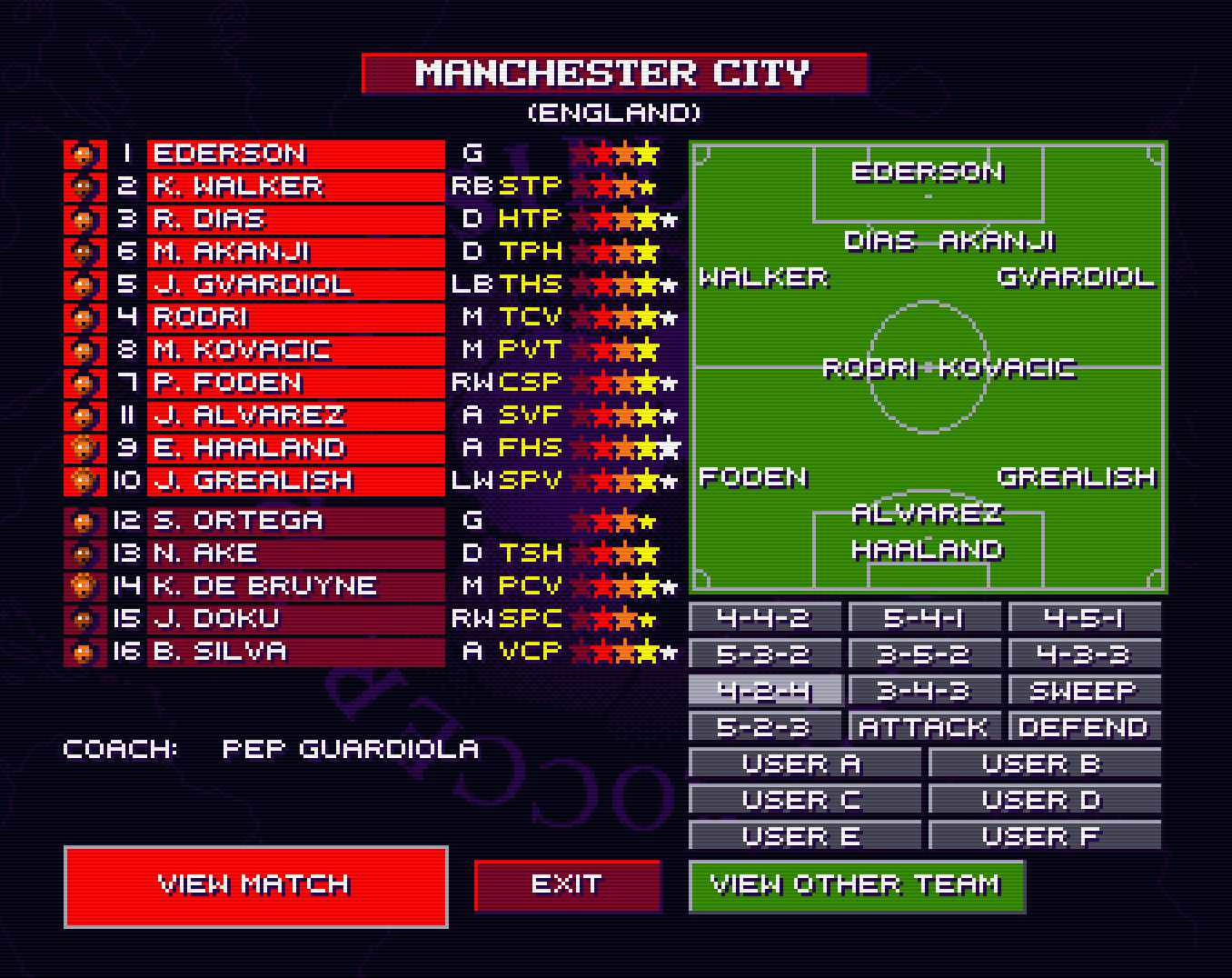
  <li><a href="https://sensiblesoccer.de">Sensible World of Soccer</a> had several problems with loading tactics and English club teams in the past few releases. This has been fixed upstream, and you should now be able to play as Erling Haaland and Kevin De Bruyne for Manchester City in the 2023/2024 season edition of SWOS!</li>
  <li>New June update of <a href="https://danteretrodev.itch.io/akumajou-dracula-aga">Castlevania AGA</a>, includes a music test menu and a new character sprite, as well as other fixes.</li>
  <li>Turrican 3 now supports the full set of CD32 buttons, making it much better to play with a gamepad — if you played Mega Turrican or Super Turrican on the Mega Drive or Super Nintendo respectively, you should really check out this version!</li>
  <li>8 games identified as running with the wrong settings, fixed.</li>
  <li>Game configurations are current with WHDLoad as of 2024-06-05.</li>
</ul>

<h2 id="️-stay-updated--help-us-make-amigavision-even-better">🛠️ Stay Updated <em>&amp;</em> Help Us Make AmigaVision Even Better</h2>

<p>If you find any bugs or settings that need improvements, file a ticket on the <a href="https://amiga.vision">AmigaVision</a> web site.</p>

<p>AmigaVision is an open source project, and we welcome contributions from the community. GitHub Pull Requests are very welcome!</p>

<p>You can follow us on <a href="https://bsky.app/profile/amiga.vision">Bluesky</a>, <a href="https://mastodon.social/@amiga_vision">Mastodon</a>, <a href="https://youtube.com/@amiga_vision">YouTube</a>, <a href="https://twitch.tv/amiga_vision">Twitch</a> or via <a href="https://amiga.vision/feed.xml">RSS</a>, and updates will be posted when new releases happen.</p>

<p>Enjoy the best of what the Amiga platform has to offer!</p>]]></content><author><name>AmigaVision</name></author><summary type="html"><![CDATA[We are happy to announce that the latest release of AmigaVision is available!]]></summary></entry><entry><title type="html">AmigaVision 2024.04.04 Released with 543 New PAL Game Settings, Revision 2024 Demos</title><link href="https://amiga.vision/2024.04.04" rel="alternate" type="text/html" title="AmigaVision 2024.04.04 Released with 543 New PAL Game Settings, Revision 2024 Demos" /><published>2024-04-04T00:00:00+00:00</published><updated>2024-04-04T00:00:00+00:00</updated><id>https://amiga.vision/2024.04.04</id><content type="html" xml:base="https://amiga.vision/2024.04.04"><![CDATA[<p>We are happy to announce that the latest release of AmigaVision is available!</p>

<p>AmigaVision is the ultimate Amiga games <em>&amp;</em> demo scene setup for MiSTer <em>&amp;</em> Pocket FPGAs, Raspberry Pi + emulators — and Amiga 1200, 4000 <em>&amp;</em> CD32.</p>

<p>To find out more about it, visit the <a href="https://amiga.vision">AmigaVision</a> site.</p>

<h2 id="-general-improvements">✅ General Improvements</h2>

<ul>
  <li>For <a href="https://misterfpga.org/viewtopic.php?p=83118#p83118">historical reasons</a>, AmigaVision (then known as MegaAGS) had a number of PAL games running at what is called “PAL60” — meaning, they would have the pixel aspect ratio of PAL, but would run at 60hz and 5× scale. This was before MiSTer supported 5×PAL scaling (which we implemented support for), so now that we have control of both the scaling and cropping, we can make these run at PAL settings again — so, we did.</li>
  <li>This means we <a href="https://github.com/amigavision/AmigaVision/commit/062da0505ed7f5cd95a0883c504e8ae6e12a99ac">changed 543 games from PAL60 to PAL</a>, and 5× scaling offsets have been added for MiSTer. If you prefer running these games in 60hz (shooters especially), you can still do that by going to <code class="language-plaintext highlighter-rouge">Options</code> → <code class="language-plaintext highlighter-rouge">Force NTSC</code>. Please help us test these games, and report bugs if the scaling/cropping is not correct on a given game.</li>
  <li>To solve issues with <a href="https://github.com/amigavision/AmigaVision/issues/158">Super Hi-Res sprites</a>, 28MHz is now the new default pixel clock — which means <strong>it is extra important that you update the <code class="language-plaintext highlighter-rouge">Amiga.cfg</code> file and <code class="language-plaintext highlighter-rouge">MiSTer.ini</code> settings if you are upgrading</strong>. You should always replace all files (except your <code class="language-plaintext highlighter-rouge">Saves.hdf</code>) and <code class="language-plaintext highlighter-rouge">.ini</code> settings when upgrading, and this release is no exception. Back up your existing files if you have custom settings, and re-apply them once everything is working.</li>
</ul>

<h2 id="️-game--demo-highlights">🕹️ Game <em>&amp;</em> Demo Highlights</h2>

<ul>
  <li>We have included some of the best demos from last week’s Revision 2024 demo party — check out <code class="language-plaintext highlighter-rouge">Demos by Year → 2024</code> to see what’s going on in the Amiga demo scene these days.</li>
  <li>Two of the Revision 2024 demos are also 16:9 aspect ratio compatible on MiSTer, without stretching any pixels. To view:
    <ul>
      <li>Go to the <code class="language-plaintext highlighter-rouge">Demos → Widescreen</code> category.</li>
      <li>Open MiSTer’s OSD menu, and under Video/Audio options, select “Full Screen”.</li>
      <li>Start any of the demos in the <code class="language-plaintext highlighter-rouge">Widescreen</code> section —  “Deep Meet” was this year’s #1 demo at Revision, and “Paint” by Melon Design is another demo from revision that looks great in 16:9. But while you are in there, check out the other widescreen demos too! (This assumes your TV/monitor is actually 16:9 ;)</li>
      <li>(And don’t forget to switch it back to <code class="language-plaintext highlighter-rouge">40:27</code> after you are done with the 16:9 demos — or just re-load the core)</li>
    </ul>
  </li>
  <li>“Dune” is now running the <a href="https://www.amigalove.com/viewtopic.php?t=2658">canonical NTSC version</a> with the taller “Sachs” NTSC pixel aspect ratio — your planets are again perfectly round!</li>
  <li>“Powerglove Reloaded” isn’t a completely new game, but still is not as well-known as it should be — give it a try!</li>
  <li>“Ports of Call” now has configurations available for German and French.</li>
  <li>“ViroCop” no longer has critical parts of the score/power display cut off.</li>
  <li>Sensible Soccer 2023/2024 season version added! Play as your favorite team with correct names for the players!</li>
  <li>Super Street Fighter II DX has received a descriptive label to make it obvious that it’s the improved version.</li>
  <li>Several classic demo scene productions are now available to run from hard disk; some highly recommended favorites:
    <ul>
      <li>Batman Rises</li>
      <li>De Profundis</li>
    </ul>
  </li>
  <li>Game configurations are current with WHDLoad as of 2024-04-03.</li>
</ul>

<h2 id="-integrations">🧩 Integrations</h2>

<p>While not being part of the release itself, it’s worth pointing out that both of the excellent <a href="https://github.com/wizzomafizzo/tapto">TapTo NFC card loader</a> and <a href="https://github.com/mrchrisster/MiSTer_SAM">Super Attract Mode</a> projects support AmigaVision now. Thank you to everyone involved!</p>

<h2 id="️-stay-updated--help-us-make-amigavision-even-better">🛠️ Stay Updated <em>&amp;</em> Help Us Make AmigaVision Even Better</h2>

<p>If you find any bugs or settings that need improvements, file a ticket on the <a href="https://amiga.vision">AmigaVision</a> web site. Especially if you can help test the new 5×PAL scale and crop settings for the <a href="https://github.com/amigavision/AmigaVision/commit/062da0505ed7f5cd95a0883c504e8ae6e12a99ac">543 games we just changed from PAL60 to PAL</a>, that would be highly appreciated.</p>

<p>AmigaVision is an open source project, and we welcome contributions from the community. GitHub Pull Requests are very welcome!</p>

<p>You can follow us on <a href="https://bsky.app/profile/amiga.vision">Bluesky</a>, <a href="https://mastodon.social/@amiga_vision">Mastodon</a>, <a href="https://youtube.com/@amiga_vision">YouTube</a>, <a href="https://twitch.tv/amiga_vision">Twitch</a> or via <a href="https://amiga.vision/feed.xml">RSS</a>, and updates will be posted when new releases happen.</p>

<p>Enjoy the best of what the Amiga platform has to offer!</p>]]></content><author><name>AmigaVision</name></author><summary type="html"><![CDATA[We are happy to announce that the latest release of AmigaVision is available!]]></summary></entry><entry><title type="html">Analogue Pocket now supports the full AmigaVision setup</title><link href="https://amiga.vision/lba48" rel="alternate" type="text/html" title="Analogue Pocket now supports the full AmigaVision setup" /><published>2024-01-18T00:00:00+00:00</published><updated>2024-01-18T00:00:00+00:00</updated><id>https://amiga.vision/lba48</id><content type="html" xml:base="https://amiga.vision/lba48"><![CDATA[<p>It’s time to upgrade your Analogue Pocket Amiga core!</p>

<p>The latest version now supports full AmigaVision setups up to 2TB, no need for a slimmed-down &lt;4GB setup anymore.</p>

<p>Note that it <em>requires</em> the latest 2.1 firmware from Analogue, and will look for <code class="language-plaintext highlighter-rouge">MegaAGS.hdf</code>, not the Pocket-specific file.</p>

<p>Also new in the latest Amiga core release for the Pocket:</p>

<ul>
  <li>Audio mixing has been added, no more fully separated stereo, especially nice for headphone use.</li>
  <li>Additional ICache fixes will let games that previously didn’t run on the Pocket work, it should be at parity with MiSTer now.</li>
</ul>]]></content><author><name>AmigaVision</name></author><summary type="html"><![CDATA[It’s time to upgrade your Analogue Pocket Amiga core!]]></summary></entry></feed>